
Query Cloud
One SQL statement across namespaces, servers and databases
Join data from several IRIS namespaces, several servers, and even SQL Server, Access or CSV files — client-side, with nothing installed on any server.
Unique to SQL DATA LENS
- One statement across namespaces and servers
- Nothing installed on any server
- No special privileges needed
- IRIS joined to SQL Server, Access or CSV
- Local processing only
The question is nearly always the same shape: are these two things the same? The patient IDs in the clinical namespace and the ones in the billing namespace. The article numbers in production and the ones in the test system someone restored last month. The codes in IRIS and the codes in the CSV file a supplier emailed. It is a five-minute question and a join would answer it — except the two tables are in different namespaces, or on different servers, or in different products, and IRIS will not join across any of those.
The usual answers are all server-side, and they all need someone's permission. Query Cloud is the client-side answer.
Your sources — unchanged, nothing installed on any of them
- InterSystems IRIS Server A · namespace CLINICAL clinical_Patient
- InterSystems IRIS Server B · namespace BILLING billing_Invoice
- Microsoft SQL Server reporting · schema dbo dbo_Article
- CSV file on your desktop supplier_csv
Read through the connections you already have — read-only, at execution time, and only the rows the statement actually needs
Your workstation
Query Cloud — a local virtual database
- Catalog — connection, schema and table name per registered table. No rows are copied when you add one.
- Query engine — joins, filters and aggregates the fetched rows in memory on this machine.
No row is sent to any public cloud service, and no server is asked for a privilege you do not already have.
One statement, one result set
| PatientID | LastName | InvoiceNo | Amount |
|---|---|---|---|
| 10432 | Meier | 2026-0871 | 1 240.00 |
| 10432 | Meier | 2026-0902 | 3 118.50 |
| 10877 | Sarközy | 2026-0913 | 1 004.90 |
A local virtual database
Query Cloud behaves like a local virtual database. Inside it you write ordinary SQL — joins, aggregates, subqueries — against tables that physically live in different places, as if they were all in the same namespace. You do not move data into a common location first, and you do not build a staging schema for a question you will ask once.
The name is worth being clear about, because "cloud" here means the opposite of what it usually does. No data is sent to any public cloud service. Every query and every row is processed locally by SQL DATA LENS on your workstation. The only network traffic is the same traffic your normal connections already make: SQL DATA LENS reading from each source server.
Adding a table takes one menu item
Go to a source table anywhere in the Server Navigator and choose Add table to query cloud…. Repeat for each table you want to combine. That is the entire setup.
No data is copied when you add a table. Query Cloud stores only the information about where that table comes from — the connection, the schema and the table name. Rows are read when a statement is executed, and only the rows that statement needs.
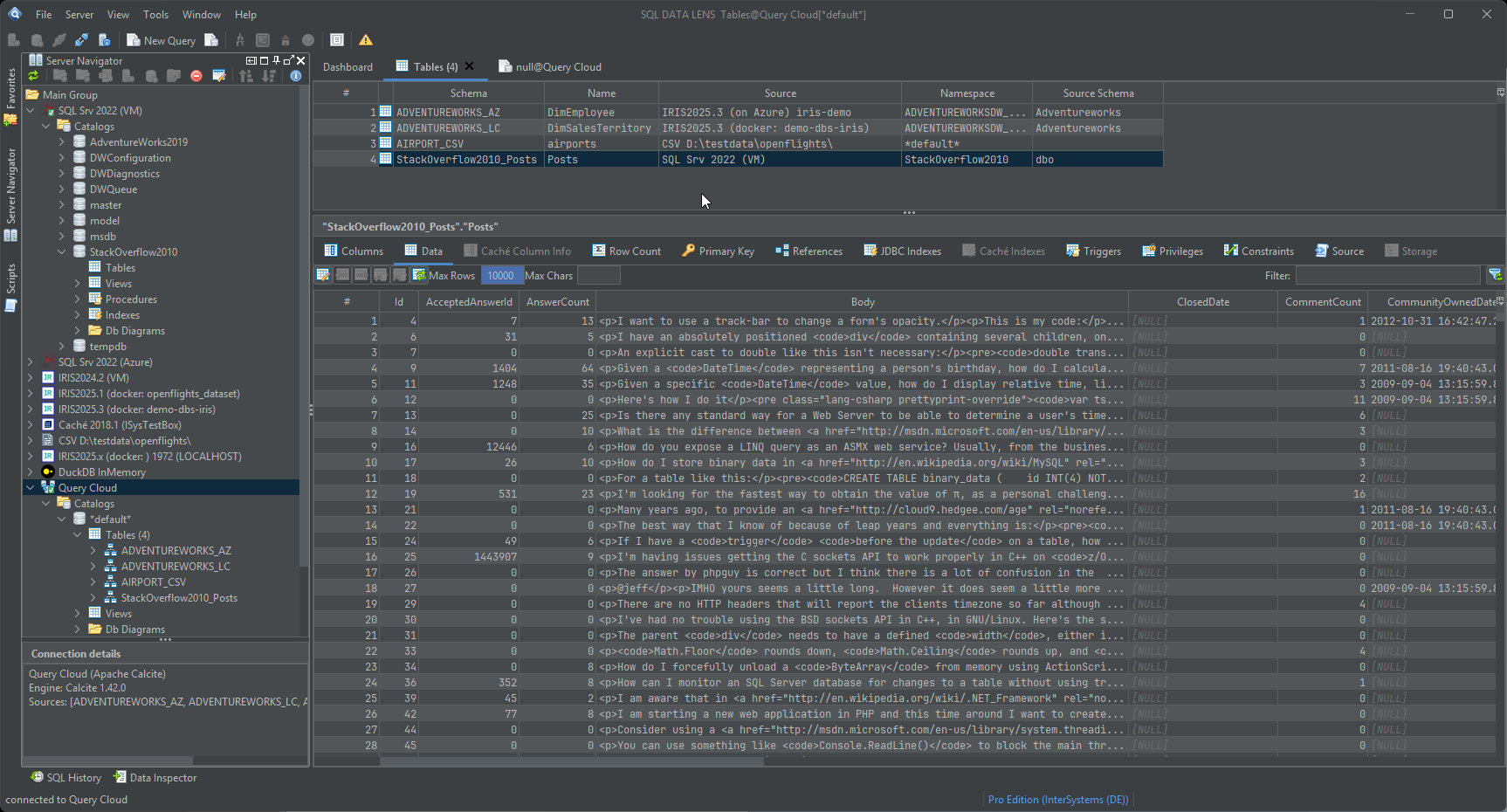
Once registered, the tables are addressed like any other:
SELECT p.PatientID, p.LastName, b.InvoiceNo, b.Amount
FROM   clinical_Patient  p
JOIN   billing_Invoice   b ON b.PatientRef = p.PatientID
LEFT   JOIN supplier_csv s ON s.Code = b.ArticleCode
WHERE  b.Amount > 1000
ORDER  BY b.Amount DESC
Here clinical_Patient and billing_Invoice could be on
two IRIS servers in two data centres, and supplier_csv could be a
file on your desktop.
What sources you can mix
- Several namespaces on one server — the most common case, and the one IRIS makes hardest without server-side configuration.
- Several IRIS or Caché servers — production against test, one site against another, a current instance against a restored backup.
- Different database products — Microsoft SQL Server, PostgreSQL, MariaDB, SQLite, H2, Access, Trino and the rest of the supported systems, joined to IRIS in the same statement.
- Flat files — a CSV file, a folder of CSV files or a ZIP archive treated as tables. Reconciling an IRIS table against a spreadsheet a supplier sent is the single most requested use of this feature.
How this differs from the server-side options
There are three established ways to query across sources in this ecosystem. They are all good techniques and it is worth knowing where each one wins.
Linked servers
Microsoft SQL Server, Microsoft Access, Sybase and others can link a foreign table into the current server instance, after which you write queries as if the table were stored locally. It avoids loading data somewhere else and it works well — for the products that have it.
The IRIS and Caché SQL Gateway
The SQL Gateway gives IRIS access to external databases over JDBC or ODBC, which is the same idea as a linked server. You create a gateway connection, then use a wizard in the Management Portal to link a table or view in an ODBC- or JDBC-compliant database: a class is generated that redirects all calls to the external table, and from then on IRIS can query it.
The constraints are real, though. The user must be authorised to use the SQL
Gateway, to create connections and to create classes and tables. And every
table in the FROM clause of a single query must come from the same
data source — queries that join heterogeneous sources are not permitted. That
rules out precisely the reconciliation queries you wanted it for. SQL DATA LENS
can list, create and delete server-side SQL Gateway connections for you,
including creating one from a connection you already have configured locally
— see the administration views.
Mapped tables (Caché only)
The mapped-tables feature, inherited from Caché Monitor, is something like the SQL Gateway and the Caché Link Table wizard combined: it maps the data storage of a class or table into another namespace, so you can query it alongside local tables as though it lived there.
Two caveats. It works for Caché only, and it needs configuring on the server. More importantly, treat delete operations on a mapped table with great care: the original table and the mapped table share the same data storage, so a delete through the mapping deletes the real data.
The honest trade-off
What the three server-side techniques share is that the database server does the work. The query optimiser picks a plan, the join runs where the data lives, and only the result crosses the wire to the client. From a pure performance standpoint that is the better architecture, and for a query that runs every night against millions of rows it is the right choice.
But if what you want is an ad hoc query across a few databases for analysis, all three make you do the configuration first — and get someone to grant you the rights to do it. With Query Cloud you can combine data from every source you already have access to. A working connection in SQL DATA LENS is the only requirement: no special privileges, and nothing whatsoever installed on the server side.
The cost is the mirror image, though less steep than it used to be. Filters, joins and aggregations are pushed down into each source wherever that source can run them, so only the part that genuinely has to be combined crosses the wire; Show Federation Plan in the SQL editor tells you exactly what was pushed down and what was not. Whatever cannot be pushed down runs on your workstation, which supplies the memory and CPU for it. That still makes Query Cloud a poor choice for joining two tables of tens of millions of rows, and an excellent one for fast ad hoc analysis across systems without moving any data. A federated query is capped at 100,000 rows by default; that cap, the query timeout and the per-source connection limits are all configurable.
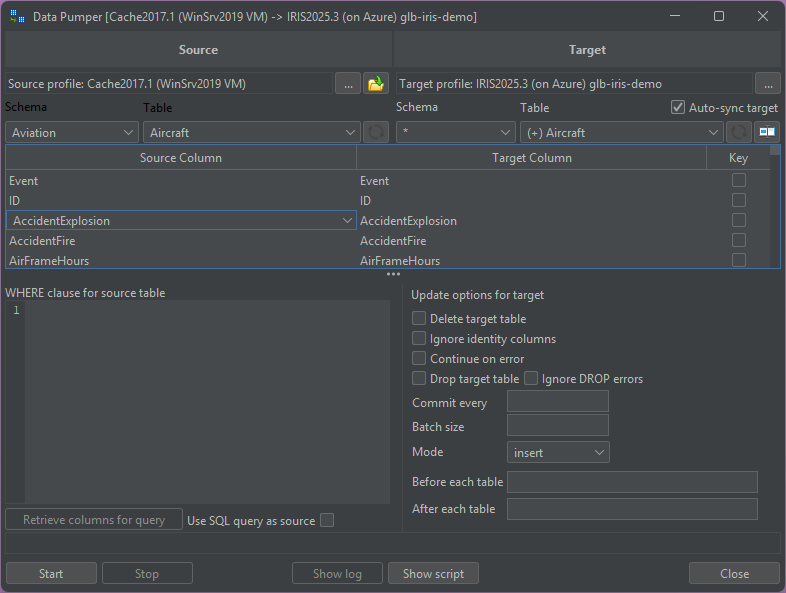
When the answer is "these rows need to be over there permanently", the right tool is not a join at all — it is the Data Pumper, which copies data from one table to another between namespaces, servers and different database systems without an export-and-import detour.
Upgrading from 3.24 or earlier? Version 4.00 replaced the
Query Cloud engine: the embedded H2 1.4.200 database is gone and the
federation now runs on Apache Calcite, querying every source through its own
connection. The old querycloud.mv.db file cannot be read any
more and its sources are not carried over — add them again in the Query
Cloud node's properties, Sources tab. The old connection entry is renamed to
"Query Cloud (removed)" on the next start, and Legacy Query Cloud…
in the Sources tab offers to clean both up.
One thing to do rather than postpone: the old file stored your source passwords in plain text. Delete it once you no longer need it, and treat those passwords as exposed.
Getting started with it
Register the two connections you want to compare, add one table from each, and write the join in the SQL editor as though they had always been neighbours. Nothing changes on either server, so there is no cleanup afterwards and no reason to ask anyone's approval to try it. It needs no server-side footprint at all.
Query Cloud is a paid feature. In the Free Edition the node stays visible but connecting to it is refused with a message naming the edition you need. A Named User or Team licence federates up to five database sources at a time; Enterprise has no limit. Sources you have unticked and CSV or DBF folder sources do not count towards it, and the 30-day trial included with every download federates at the Named User limit. See pricing for the editions.
Explore your IRIS data from SQL down to globals
Download, unzip, connect. Your first namespace is on screen in about three minutes.
Windows 10, 11 and Windows Server (64-bit) · ~132 MB · version 4.02 · full 30-day Pro trial included