
Security & privacy
What the tool does with your data: nothing
Runs entirely on your desktop, no telemetry, no admin rights required, signed binaries and a bundled private Java runtime.
- No telemetry, no analytics
- AI Assistant off by default, never routed through us
- Five outbound requests in total, two of them optional
- Nothing installed on the server
- No administrator rights needed
- Bundled private JRE 21
The question behind the question
Most people reading this work on hospital information systems, insurance platforms, laboratory systems or banking back ends. Before a tool is allowed near that data, someone has to answer a short list of very specific questions, usually in writing, usually to a colleague who will not accept "enterprise-grade security" as an answer.
So this page lists what the application actually does, in terms you can verify with a firewall log and a directory listing. Where something is not supported yet, it says so.
Everything runs on your desktop
SQL DATA LENS is a Windows desktop application, not a client for a hosted service. There is no account to create, no sign-in, no workspace in the cloud and no server component of ours anywhere in the picture. Your queries run from your workstation against your database, over your network.
There is no telemetry and no usage analytics. Nothing counts which features you open, nothing samples your query text, and there is no crash-reporting service collecting stack traces in the background.
Every outbound connection, listed
Apart from the database connections you configure yourself, this is the complete list. Three requests are part of running the product; two exist only because you asked for a driver file, and never happen on their own:
| Purpose | When | What it carries | Optional |
|---|---|---|---|
| Update check | Free edition: at every application start. Pro editions: at most once every two days. | The installed version and edition, so the response can say whether a newer release exists. | Yes — it can be switched off in the settings, and the app runs normally without it. |
| Licence activation | When you activate or deactivate a licence key, and on the periodic re-validation that keeps an activation alive. | The licence key and a machine fingerprint, to the LimeLM activation service. | No. An activated licence re-validates periodically; without one, see the row below. |
| Trial verification | At every application start while no licence key is activated — during the 30-day Pro trial and afterwards, once the app has fallen back to the Free edition. | A machine fingerprint, to the same LimeLM service, so that the one-time trial cannot simply be restarted. | No. It stops once a licence key is activated, which replaces it with the row above. |
| Fetching a driver file | Only when you press "Get Driver File…" in Tools > Manage Drivers…, for a driver the download does not carry (Trino, Databricks, Firebird) or a version you asked for by Maven coordinate. | Nothing about you — an HTTPS GET to a fixed vendor address or to Maven Central, or to your own repository if you configured one. The file is kept only if its SHA-256 checksum matches. | Yes — it never happens on its own. No fetch, no request. |
| Driver vulnerability check | Only if you switch it on under Tools > Settings… > Network > Driver Manager. Off by default. | The name and version of a configured driver, to the free osv.dev vulnerability database. Nothing about you, your connections or your servers. | Yes, and it is off unless you turn it on. |
All of it is straightforward to confirm from the outside: block outbound traffic from the workstation apart from your database ports and the app keeps working, minus the update notice. If your policy is to control updates centrally, turn the check off and roll out new builds the way you roll out everything else. If it forbids fetching binaries from the internet, do not press Get Driver File… — or use its bundle export instead, which moves drivers between machines as a file you carry yourself.
Nothing is installed on the database server
This is the point that usually settles the conversation with the platform team. SQL DATA LENS deploys nothing server-side:
- No agent or service process on the IRIS or Caché instance.
- No stored procedures, routines or helper classes installed into a namespace.
- No schema changes, no new tables, no new globals.
- No configuration change to the instance.
Everything the app displays comes from interfaces the instance already exposes. The performance scanners read index and constraint metadata and the cached query catalogue; the administration views read the same process, lock and log information the Management Portal reads. Uninstalling the app means deleting a directory — there is nothing left behind on any server to clean up.
Credentials
Connection passwords are stored in the per-user configuration on the local machine, encrypted by Windows DPAPI against your own Windows user profile. They are never transmitted to us, never included in the update check or the activation request, and never written to a shared location. The single destination a connection password is ever sent to is the database server that connection points at.
What changed in 4.01 is whose key protects them. Until then the
protection travelled with the application, so a copied config.json
was as good as the passwords in it. Now the key belongs to your Windows
account: a copied or backed-up configuration file does not give them up, and a
second Windows account on the same machine cannot read them. Migration happens
by itself on the first start, and
Tools > Remove legacy configuration files… clears out the older
files that still hold passwords in the previous format.
If your policy does not permit stored credentials at all, switch on Never save the password — per connection, or as the default for every new one — and the app asks once per session and writes nothing. The whole subject, including transport encryption and profiles that share a connection without its credentials, is on secure connections.
A cleanup shipped in 4.02, worth knowing if you have
connections older than that. Releases before 4.01 wrote a clear-text
user name and password onto a connection's Properties tab by
themselves, without asking, and, on every SQL Server connection, an encrypt=false entry that silently disabled TLS. Since 4.02 these leftovers are removed automatically the next time
your connections are loaded, and the log names which ones were dropped,
never their values. A connection that relied on that leftover to skip
encryption now uses the driver's own default instead — choose encryption
explicitly on the TLS tab if you need a definite answer either way.
Nothing else about the connection changes, and the Properties tab now saves
edits you make there instead of quietly discarding them.
The AI Assistant: off by default, and never through us
The SQL editor's AI Assistant, new in 4.02, is off for every connection until you turn it on yourself, per connection, on that connection's own AI tab — including after an update and for an imported connection profile. Turned on, it sends schema metadata and the statement text you are working with, and never row data, table contents, credentials or connection details (password, JDBC URL, hostname, connection name) — the provider only ever learns, generically, that it is talking about "an InterSystems IRIS database" or the equivalent. SQL literal values in a statement are masked by default before anything is sent, and the first request on a connection in each session shows the complete text about to go out before it goes.
Nothing is ever sent to Data Prudentia. This is bring your own API key: you configure a provider — Anthropic, OpenAI, Azure OpenAI, or a self-hosted OpenAI-compatible endpoint — under Tools ▸ Settings ▸ AI Assistant, and SQL DATA LENS talks to it directly, over your own network connection. We are never in that path and never see the prompt, the schema or the answer. Needs Named User or above; see the AI Assistant page for the three actions and exactly what each one sends.
Deployment without a change request
Version 4.02 installs per user or runs from a portable ZIP. Neither route needs administrator rights, and neither writes outside your own profile and the directory you chose.
- Signed binaries, so the executable can be verified and allow-listed.
- A bundled private JRE 21, used only by this application. No system-wide Java to install or patch, no conflict with a different Java version another application needs, and no Oracle Java licensing question.
- Portable build, ~132 MB, for locked-down workstations, jump hosts and terminal servers where installing is not an option.
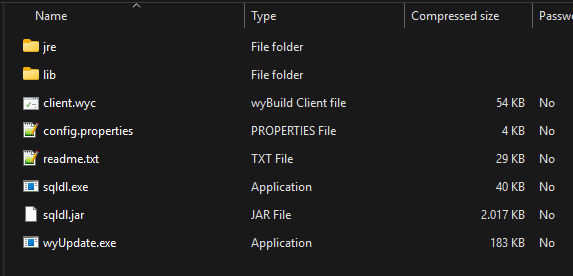
Installation options in detail →
Least privilege, and knowing which server you are on
The app is designed to be usable with a read-only database account. If your task for the day is reading data, connect with an account that can only read data — no feature silently requires more, and the ones that write will simply be refused by the server.
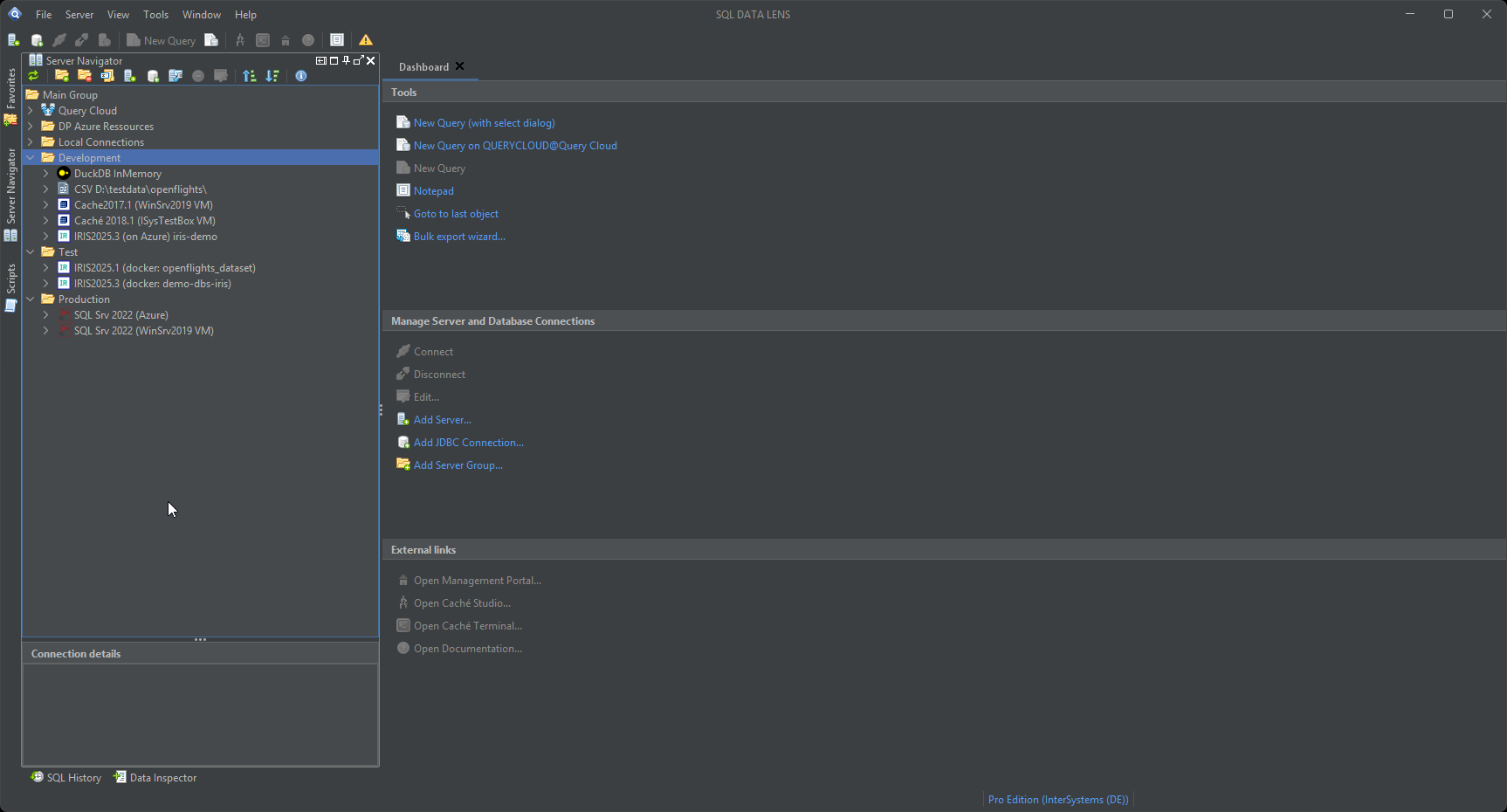
The other half of operational safety is human, and since 4.01 it is a feature rather than a naming convention. A connection can be classified as Development, Test, Production or Failover, each with its own colour and a text badge, shown both in the Server Navigator and on the tab of the editor you are typing into. Beside the classification sits an independent read-only guard: with it on, the editor passes only statements it can recognise as read-only, the grid stays uneditable, and the Data Pumper, the class actions and the cached-query purge refuse to write. Connections already classified Production or Failover stay guarded after the update. See environments and read-only.
Encrypted connections: shipped in 4.01
For several releases this page said that transport encryption was on the roadmap, and declined to name a version for it. It shipped in 4.01. Both connection dialogues have a TLS tab — driver default, no encryption, or encrypted — with certificate trust and an expected certificate host name, and a failed handshake says what happened and which switch addresses it. SQL Server and Azure SQL connections now follow the Microsoft driver's own default, which is encrypted with verification of the server certificate.
For IRIS and Caché, where enabling TLS on the client used to mean writing a
properties file, building a trust store with keytool and
restarting, an assistant does the sequence: it fetches or imports the
certificate — showing you the fingerprint and saying plainly what a fetch does
and does not prove — checks it against the host name, writes the trust store
and configuration file, and ends with a real test connection. Nothing is
changed on the instance.
Questions your security review will ask
Does the application send any data about our databases, schemas or queries to a third party?
No. There is no telemetry, no usage analytics, no crash reporting service and no feature-usage tracking. Table names, column names, query text, result data and connection details never leave the machine the app runs on. The handful of destinations it does reach are listed in full on this page, and not one of them carries anything about your databases — the driver vulnerability check, the only request that names a piece of software you use, sends a driver name and version and is off unless you switch it on.
What is installed on the database server?
Nothing. No agent, no service, no stored procedures or routines deployed into a namespace, no helper classes, no schema changes. SQL DATA LENS is a JDBC client: it connects, it runs statements you can read, it disconnects. Anything it shows you — cached queries, process lists, index definitions, global sizes — comes from catalogue and system views that already exist on the instance.
Where are connection passwords stored, and how?
In the per-user configuration on the local machine, encrypted by Windows DPAPI against your own Windows user profile. Since 4.01 the key is no longer part of the application, so a copied or backed-up configuration file does not give the passwords up, and a second Windows account on the same machine cannot read them. They are not stored in a shared location, not written to a central server, and not included in the update check or the activation request. The only place a connection password is ever sent is to the database you are connecting to.
If your policy forbids stored credentials outright, switch on Never save the password — per connection, or as the default for every new one.
Does it require administrator rights, or a system-wide Java installation?
Neither. Install per user, or unzip the portable build into a directory you can write to — ~132 MB, Windows 10, 11 and Windows Server (64-bit). The binaries are signed. A private JRE 21 is bundled inside the application directory and used only by it, so there is no dependency on a system-wide Java, no version conflict with anything else on the workstation, and no Oracle Java licensing question to answer.
Can it run with a read-only database account?
Yes, and for read-only work that is the recommended setup. Browsing tables and globals, reading class source, viewing execution plans and running the performance scanners all work with a read-only account. Anything that writes — running an INSERT, UPDATE or DELETE statement, running DDL, purging a cached query, copying a class — will be refused by the server, as it should be. Nothing about the app assumes elevated rights.
Are database connections encrypted?
Yes, since 4.01. Both connection dialogues have a TLS tab — driver default, no encryption, or encrypted — with certificate trust and an expected host name, and for IRIS and Caché an assistant sets the whole thing up: it fetches or imports the certificate, checks it against the host name, writes the trust store and the configuration file, and finishes with a test connection. SQL Server and Azure SQL connections now follow the Microsoft driver's own default, which is encrypted with certificate verification. Full detail on secure connections.
Earlier releases had no transport encryption, and this page said so. If you are still on 4.00 or below, that answer still applies to you.
For the vendor questionnaire
If your procurement or information security process needs these answers on letterhead rather than on a web page, ask and you will get them. Write to sales@sqldatalens.com with the questionnaire or the specific list of questions, and you will receive a written response covering data flows, credential handling, deployment model and the current state of transport encryption. The privacy policy covers the website and the purchase process separately.
Next step
The claims above are the kind you can check yourself in twenty minutes. Download the portable ZIP onto a workstation, watch the network, and see what it does and does not do.
Explore your IRIS data from SQL down to globals
Download, unzip, connect. Your first namespace is on screen in about three minutes.
Windows 10, 11 and Windows Server (64-bit) · ~132 MB · version 4.02 · full 30-day Pro trial included